
Step 1: Install Operating System
In this scenario, you need to install the management node mode on both selected servers.
Procedure
-
Select the boot option.
Enter the ISO boot interface and choose the default option to start the operating system installation. You can select based on your actual situation, but we recommend using the graphical user interface (GUI) for installation. If the server does not have a VGA port and only supports serial connections, you can use either VNC or text mode installation methods.
- GUI method
- VNC method
- Text mode method
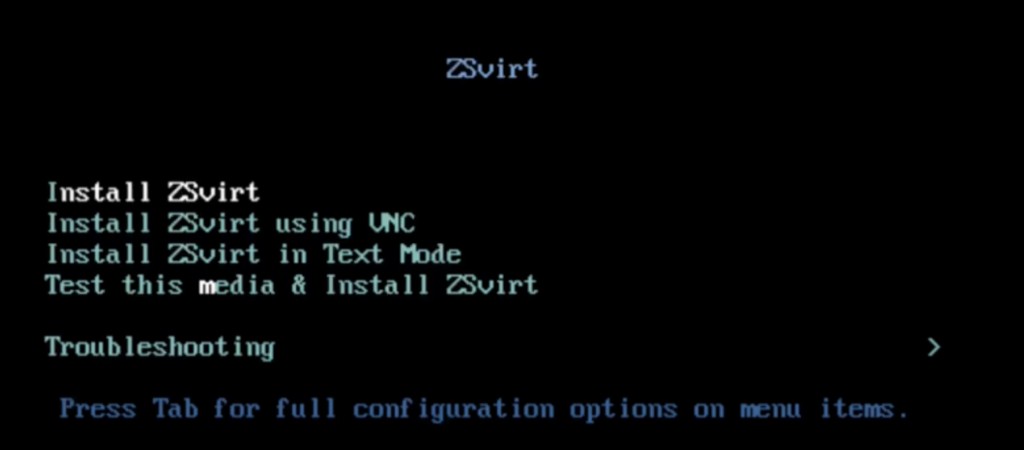
-
Select the installation mode.
-
On the INSTALLATION SUMMARY page, click Software Selection.
-
On the SOFTWARE SELECTION page, choose the installation mode.
Set the servers for management nodes to ZSvirt Management Node mode. Set the other servers to ZSvirt Compute Node mode.
-
After selecting the installation mode, click Done.
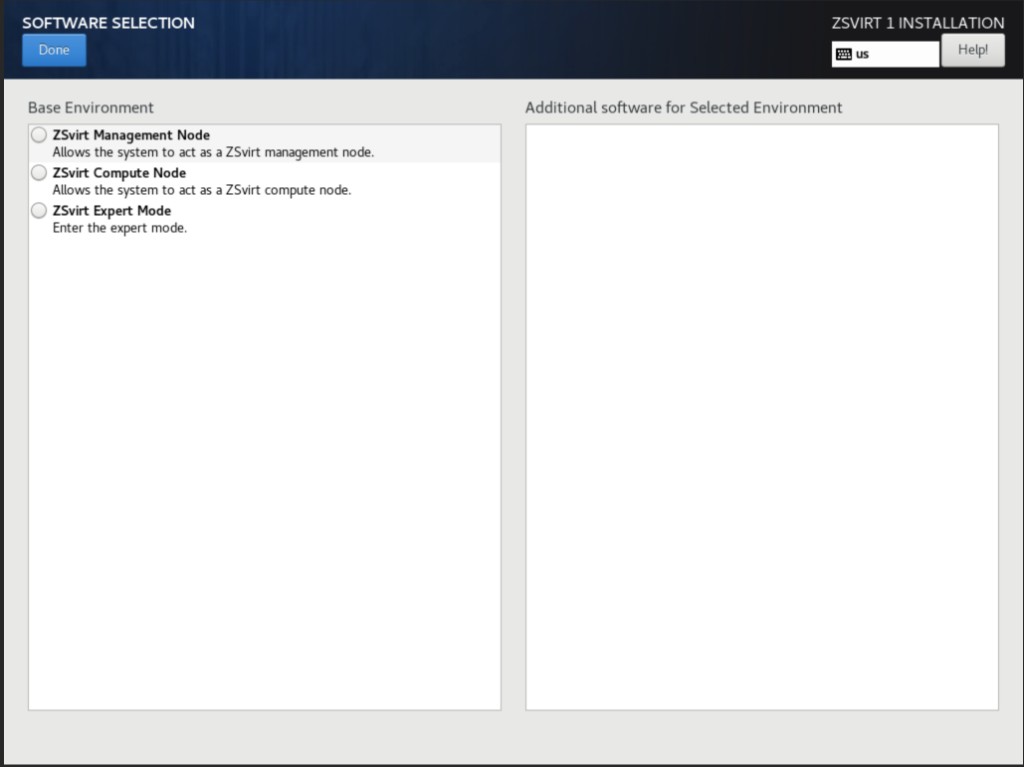
-
-
Configure the disk partitions.
-
On the INSTALLATION SUMMARY page, click Installation Destination to enter the INSTALLATION DESTINATION page.
-
For Device Selection, we recommend that you only configure the system disk. After the system is installed, you can configure other disks.
-
For Storage Configuration, we recommend selecting Automatic to automatically configure the disk partitions.
If you need to manually configure disk partitions, refer to the following guidelines based on the BIOS boot mode:
- UEFI Mode:
/boot: This directory stores the core files needed for Linux boot. We recommend allocating 1 GB of space./boot/efi: This directory stores the UEFI boot files. We recommend allocating 500 MB.swap: This is the swap area. We recommend allocating 32 GB./: This is the root directory for the Linux system. We recommend allocating all remaining space.
- Legacy Mode:
/boot: This directory stores the core files needed for Linux boot. We recommend allocating 1 GB of space.swap: This is the swap area. We recommend allocating 32 GB./: This is the root directory for the Linux system. We recommend allocating all remaining space.
- UEFI Mode:
-
Note:
- The above values represent the recommended partition sizes for ZSvirt (total disk capacity should be greater than 300 GB).
- In Legacy mode, if the system disk capacity exceeds 2 TB, you need to configure a BIOS boot partition to support GPT partitioning. UEFI mode does not have this limitation and supports GPT partitioning.
- Review the configuration and click Done.
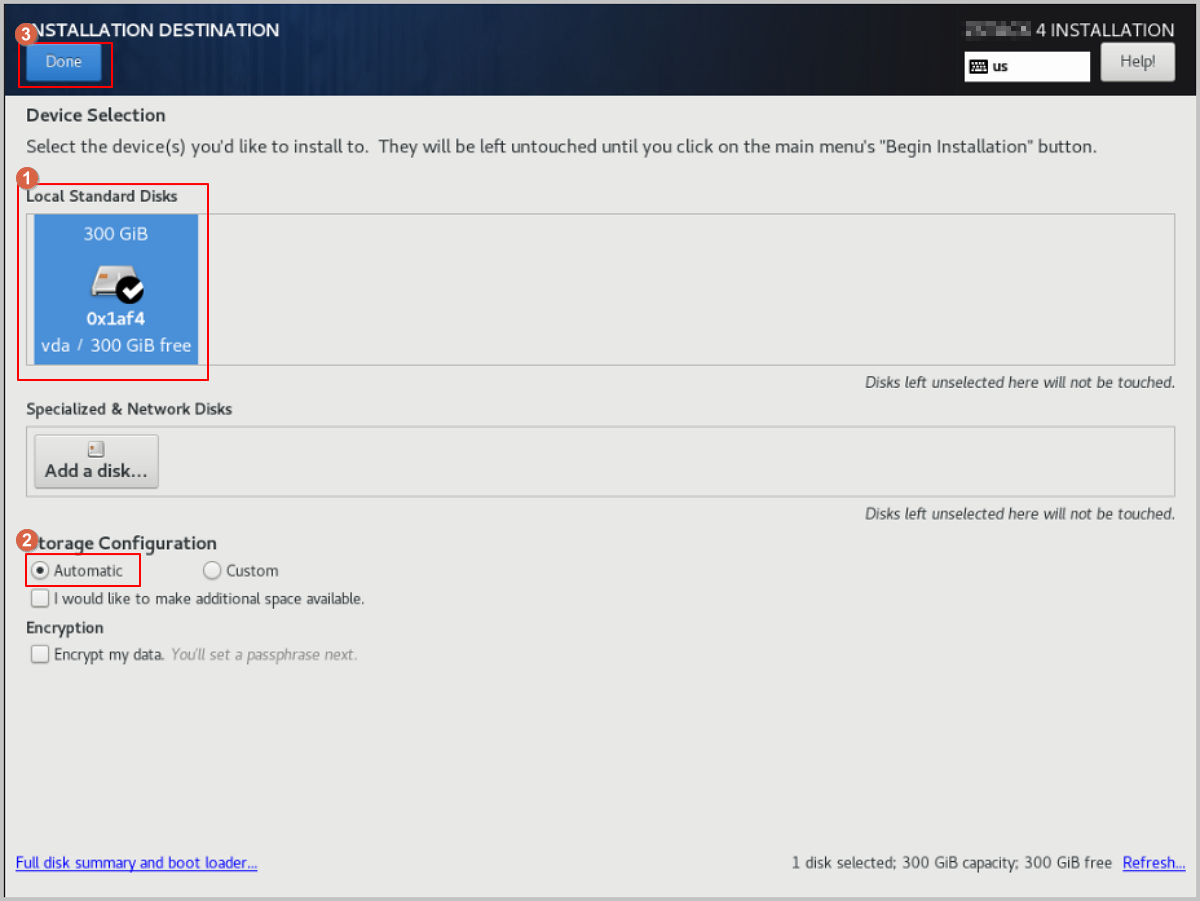
-
On the INSTALLATION SUMMARY page, click Root Password to set the root password for the operating system.
-
On the INSTALLATION SUMMARY page, click Begin Installation to begin installing the operating system.