
How do I reset a forgotten host password?
Solution
-
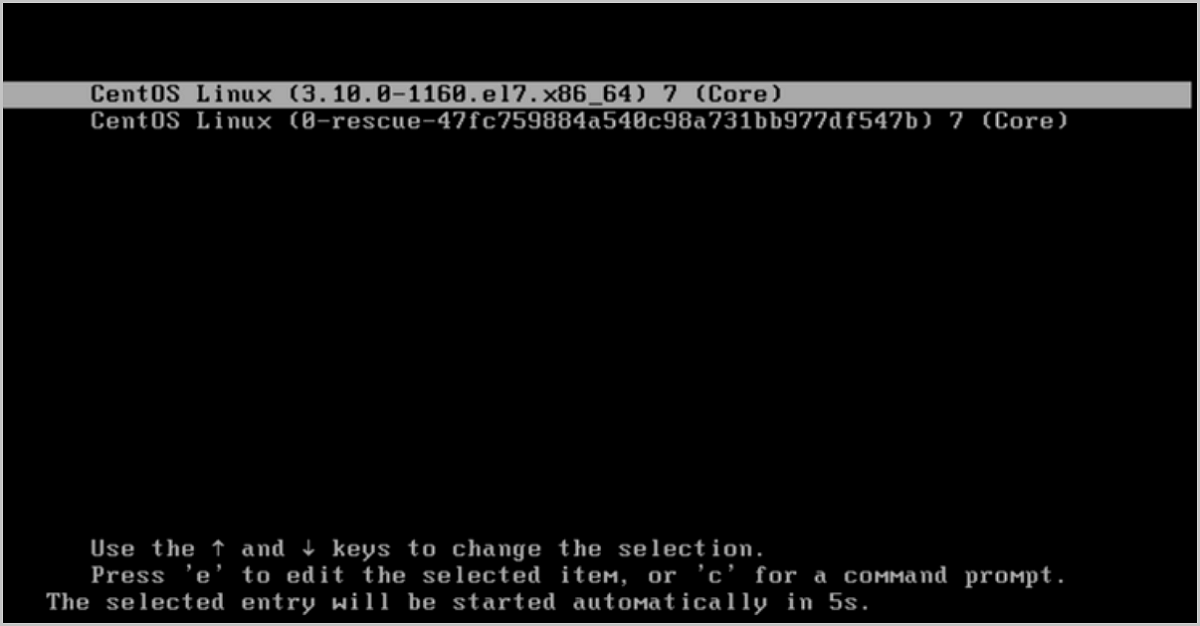
Restart the host and log in to the host console. On the kernel selection screen, press e to enter edit mode.
See Figure 1:
-
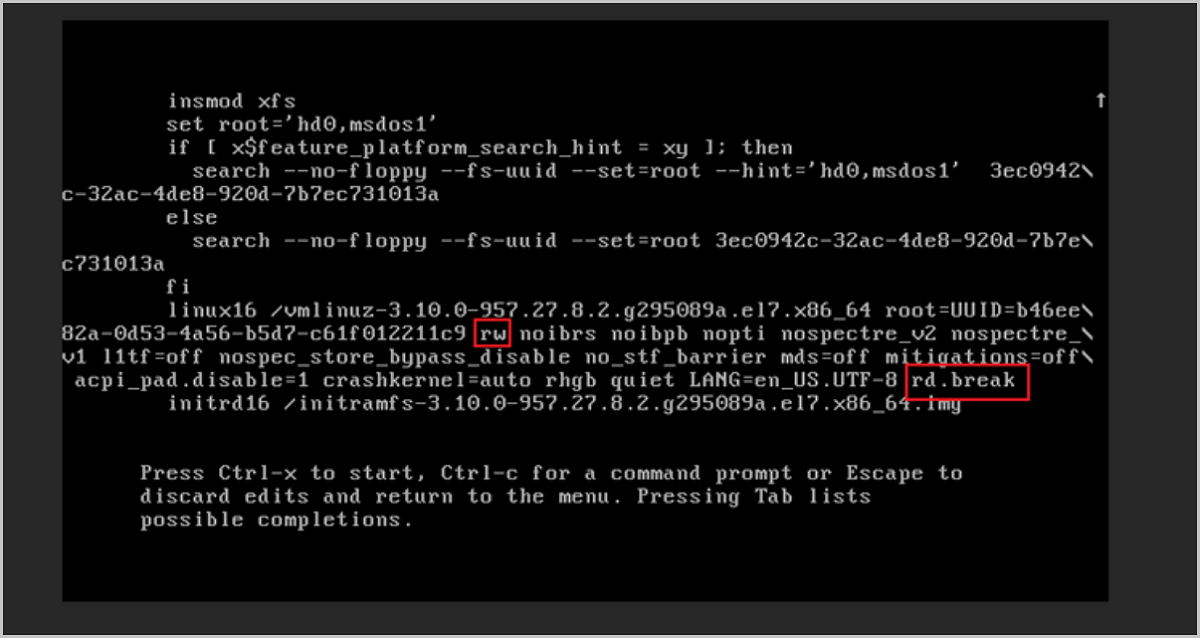
In edit mode, change ro to rw and append rd.break after the UTF-8 text.
See Figure 2:
-
Press Ctrl+X to enter low-level editing mode.
-
Run the following commands to set a new password. In this example, westos is the new password:
# Enter shell mode
chroot /sysroot/
# Set the new password
echo westos | passwd --stdin root
# Create a new SELinux security context
touch /.autorelabel
# Exit shell mode
exit
# Exit edit mode
exit