
Switching to the /bin/bash directory in rescue mode on a CentOS virtual machine returns an error. What should I do?
Symptom
Switching to the /bin/bash directory in rescue mode on a CentOS virtual machine returns a No such file or directory error.
Cause
The virtual machine is missing required dependency libraries. The bash environment of the system must be restored.
Solution
-
Locate the affected virtual machine, click Modify Configuration > Optical Drive > Image File, and load the CentOS ISO file into the virtual machine.
-
On the virtual machine details page, click Advanced Settings > Boot Options > Boot Order to open the boot order settings and change the virtual machine boot order to optical drive first.
-
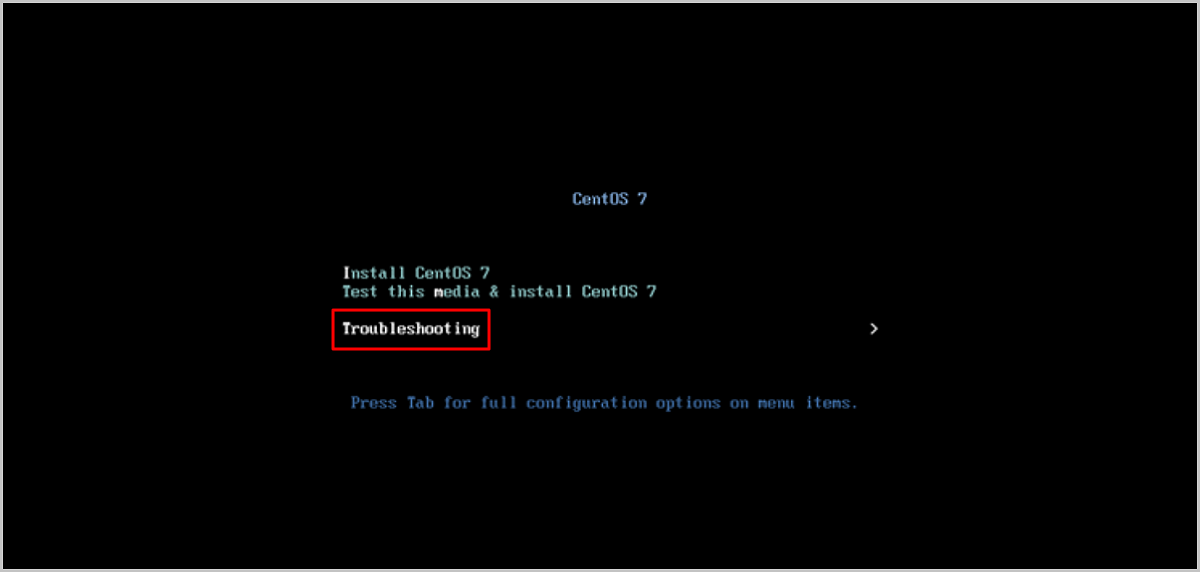
Enter the installation page and select Troubleshooting.
As shown in Figure 1:
-
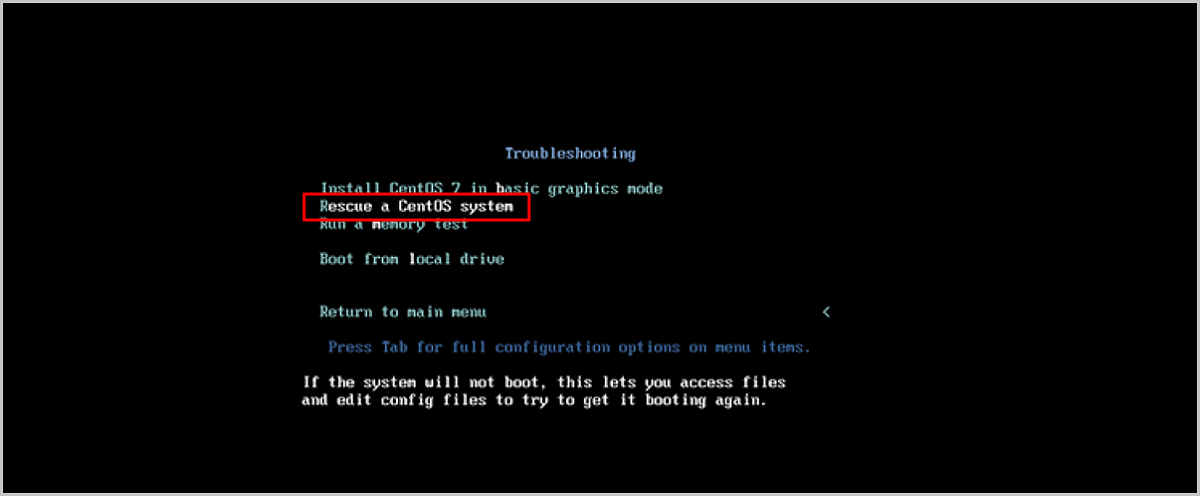
Select Rescue a CentOS system to enter rescue mode.
As shown in Figure 2:
-
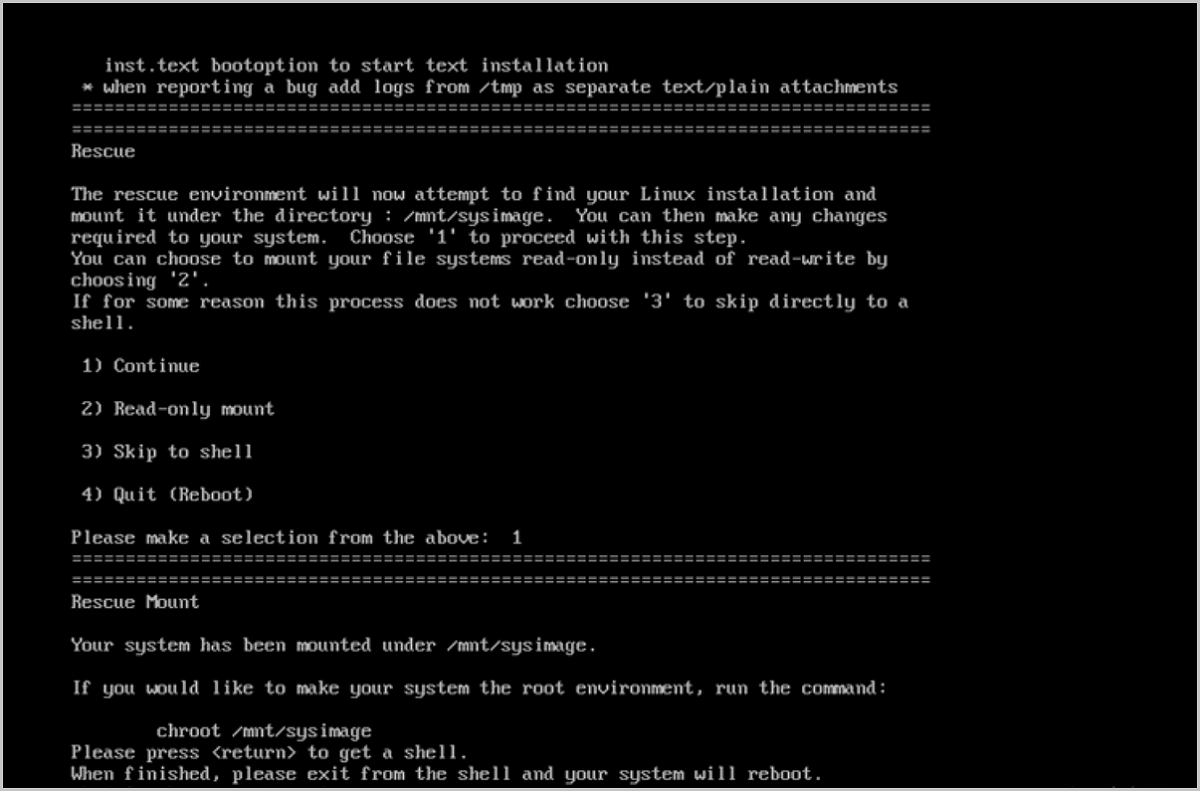
In the rescue mode interface, enter 1 to mount the system root file system to the
/mnt/sysimagedirectory in read-write mode. To switch the/mnt/sysimagedirectory to the root directory, run thechroot /mnt/sysimagecommand.As shown in Figure 3:
-
Run the following commands to copy the lib and lib64 dependency libraries from the rescue mode system to the
/mnt/sysimage/usr/liband/mnt/sysimage/usr/lib64directories respectively:[root@localhost ~]# cp -r /usr/lib /mnt/sysimage/usr/lib [root@localhost ~]# cp -r /usr/lib64 /mnt/sysimage/usr/lib64The version of the newly loaded CentOS image must match the version of the virtual machine's original image.
-
Switch the
/mnt/sysimagedirectory back to the root directory and verify that the CentOS virtual machine environment is restored.