The virtual machine cannot be accessed remotely. How do I resolve this?
Symptom
The virtual machine cannot be accessed remotely after a restart.
Cause
Address resolution is failing. The virtual machine console displays a bogon Login prompt, which typically appears when a private or reserved address is incorrectly resolved as a hostname.
Solution
-
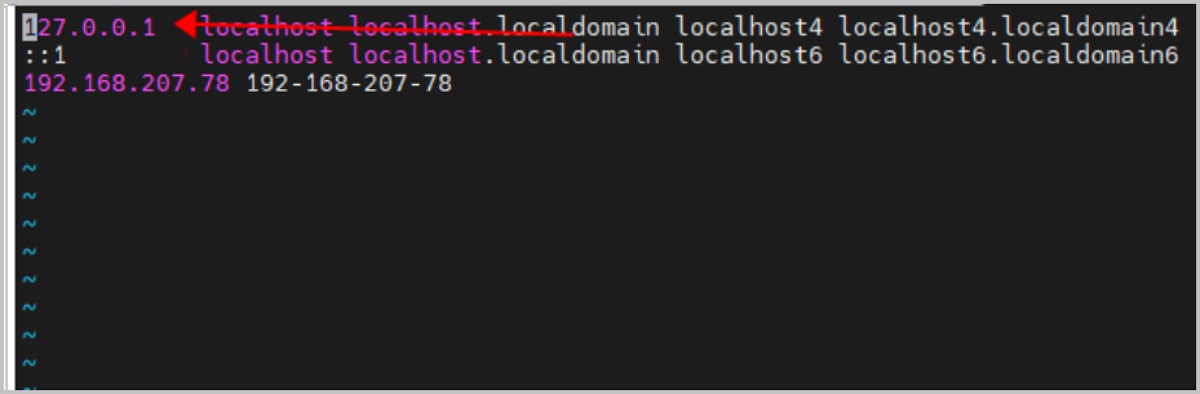
After restarting the virtual machine, log in to the virtual machine console and edit the
/etc/hostsfile to add the 127.0.0.1 localhost entry, then restart the virtual machine.As shown in Figure 1: